Not every job fits a price list. Paint correction, a PPF installation, a neglected interior or a kerbed alloy can need a closer look before you can give a price.
Until now, that often meant photos on WhatsApp, prices by text and a booking entered by hand.
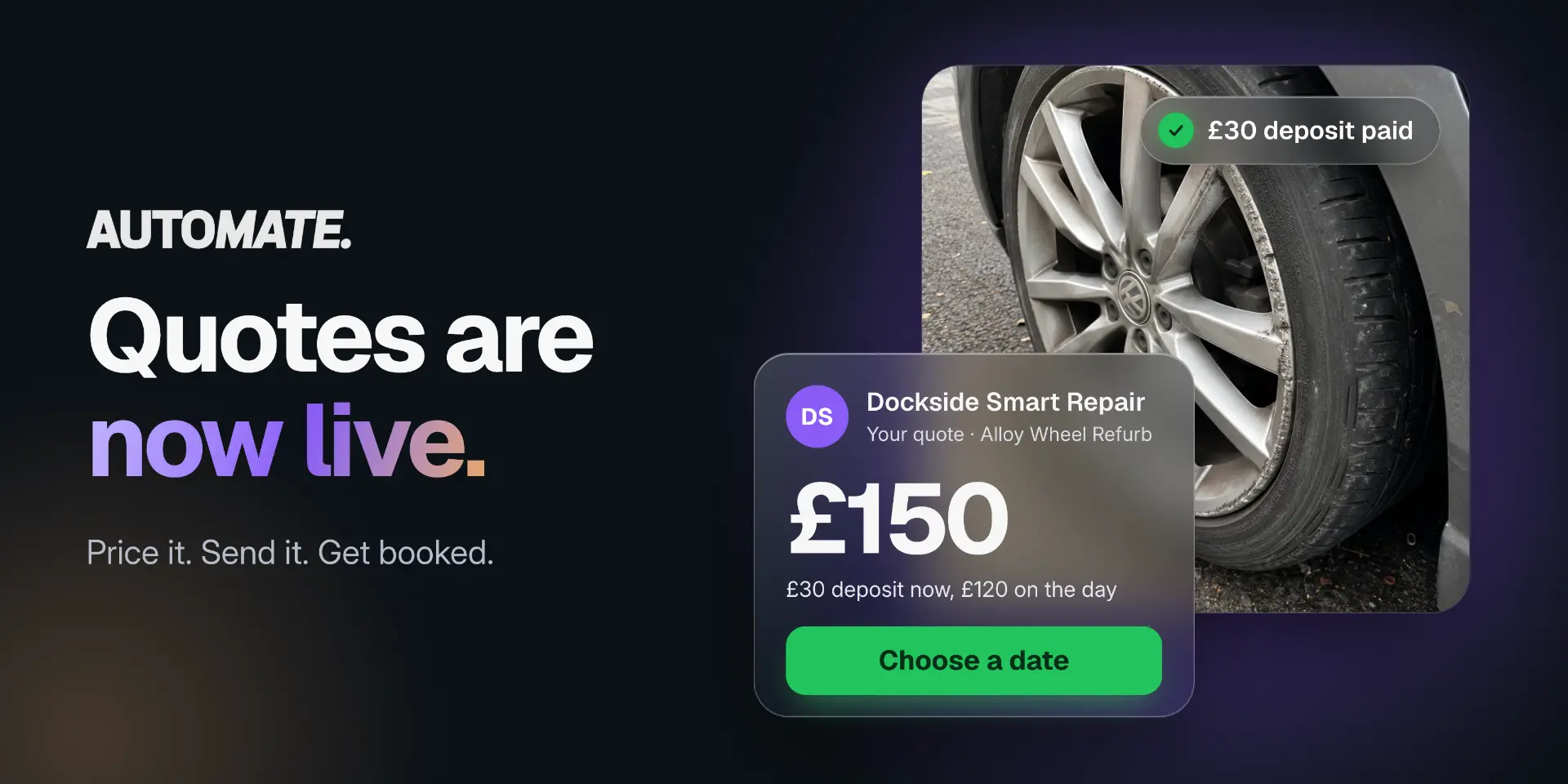
Quote Bookings brings that process into Automate. Your customer sends photos and details, you send a quote, and they choose a time and book — with payment handled according to the terms you set.
It’s one of our most requested updates, and it’s available now at no extra cost.
Less chasing. One place for every enquiry.
Quote enquiries can arrive through WhatsApp, Instagram, email, text and phone. Before you’ve even priced the job, you’re piecing together photos, finding out what the customer wants and checking which vehicle they’re bringing.
Then there’s the deposit to arrange and the booking to add to your calendar.
Every handover creates another opportunity for details to get lost or an enquiry to go cold. Quote Bookings keeps the request, quote and booking together, so you can spend less time managing messages and more time getting jobs booked.
How Quote Bookings works
1. Set up a quotable package
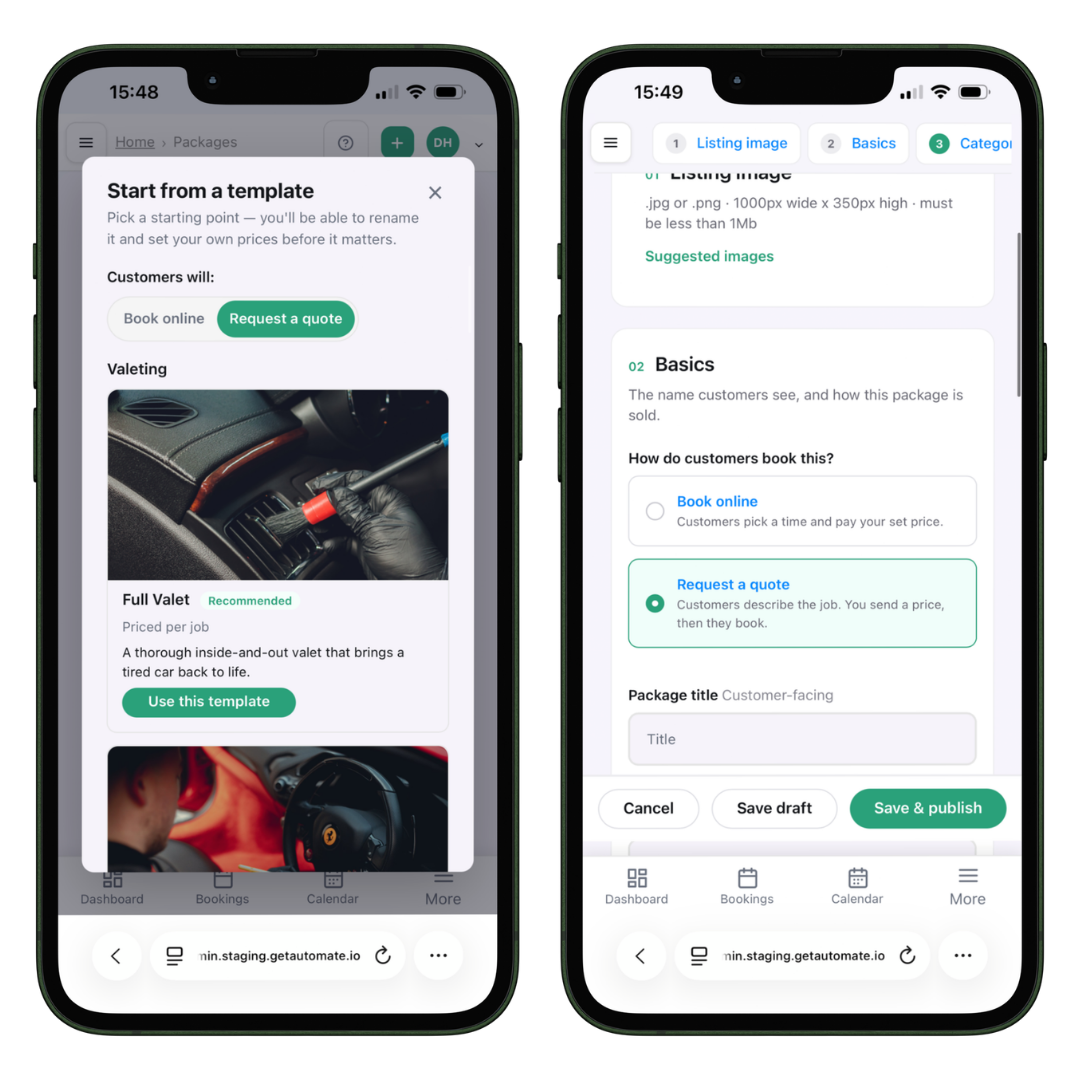
Create a package or start from an Automate template. Our templates draw on pricing and feature data from hundreds of thousands of real bookings, giving you a starting point to adapt to your business.
Switch the package to Quotable, add the details and features customers should know about, then publish it to your booking page.
You can offer quotable and fixed-price packages side by side. Your existing menu doesn’t need to change.
2. Your customer requests a quote
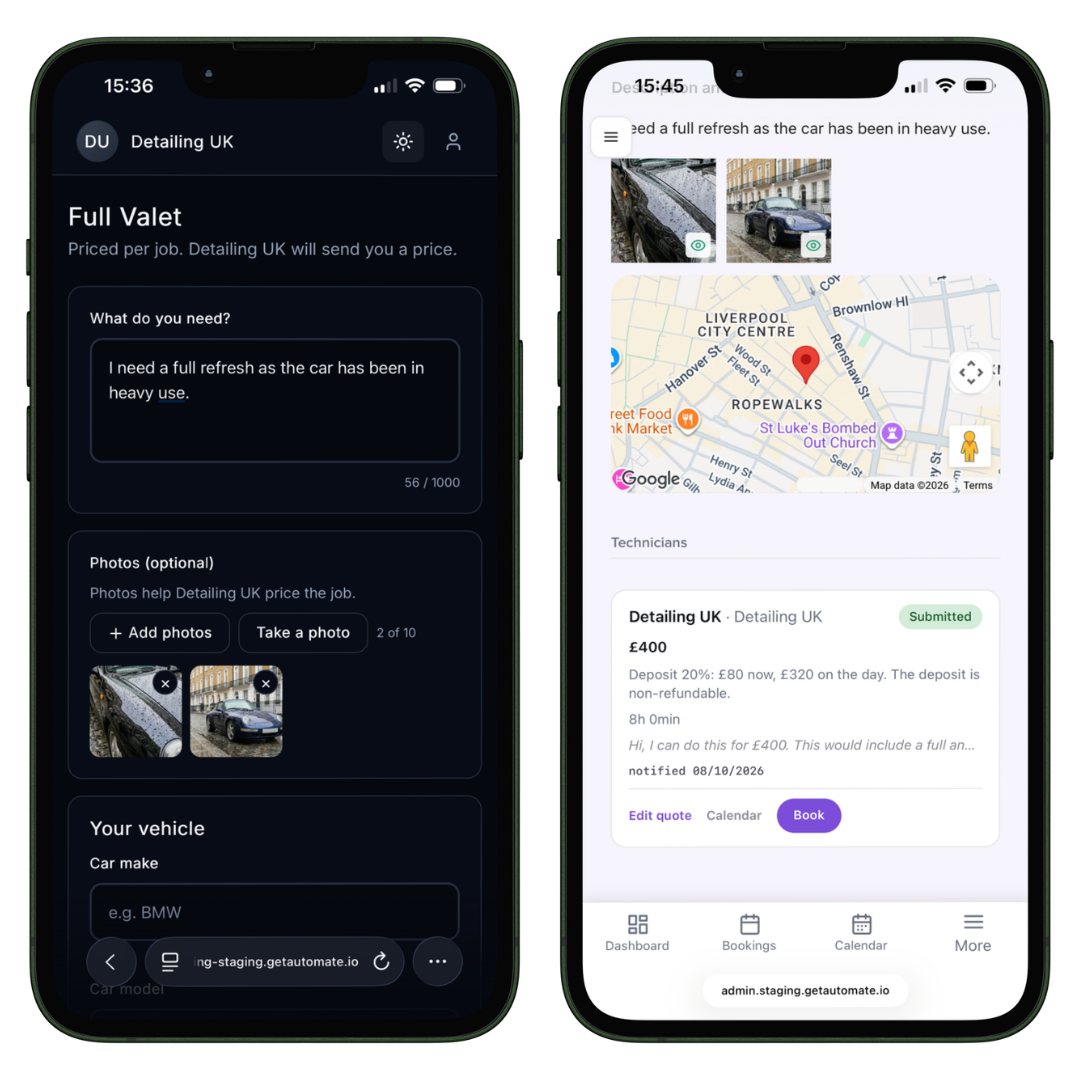
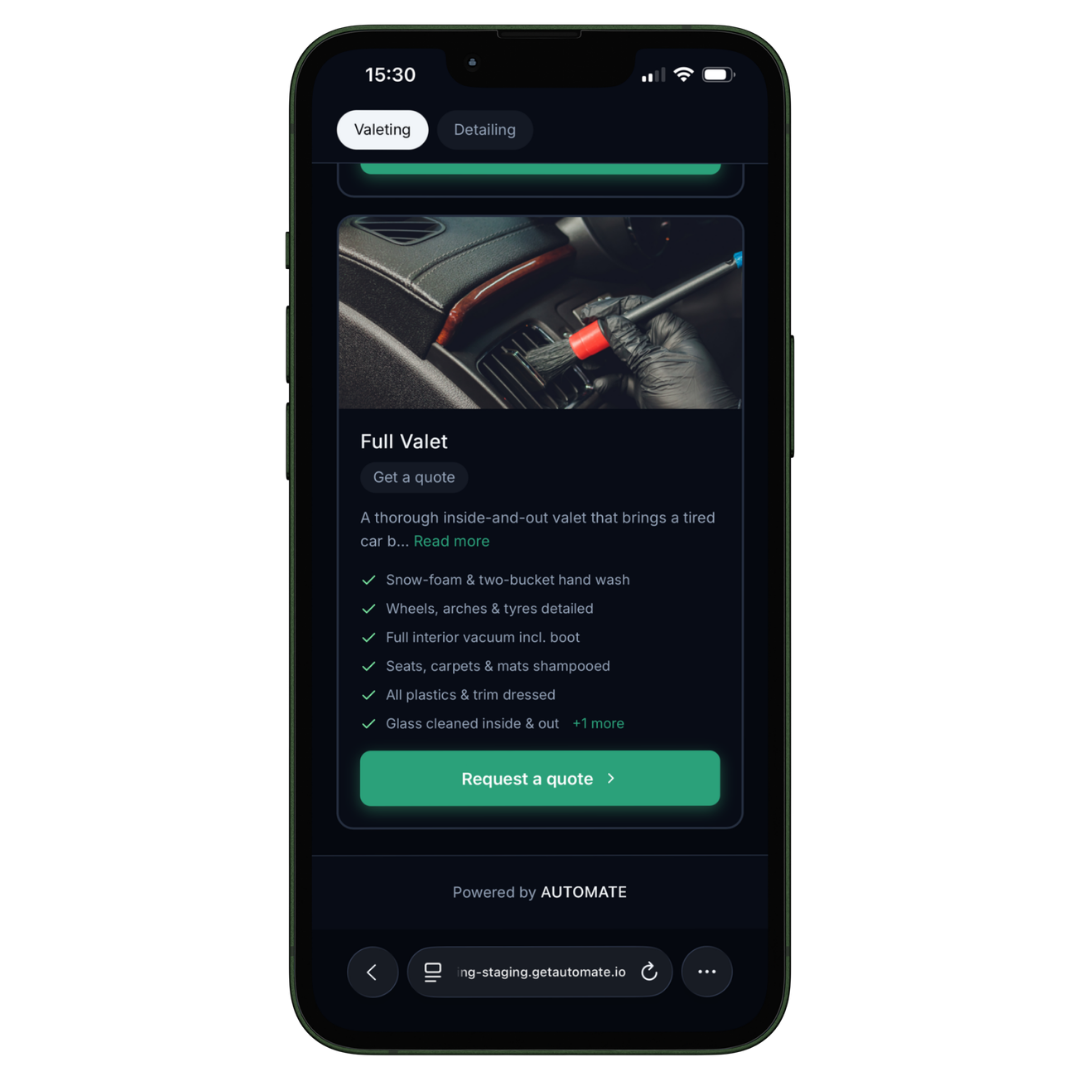
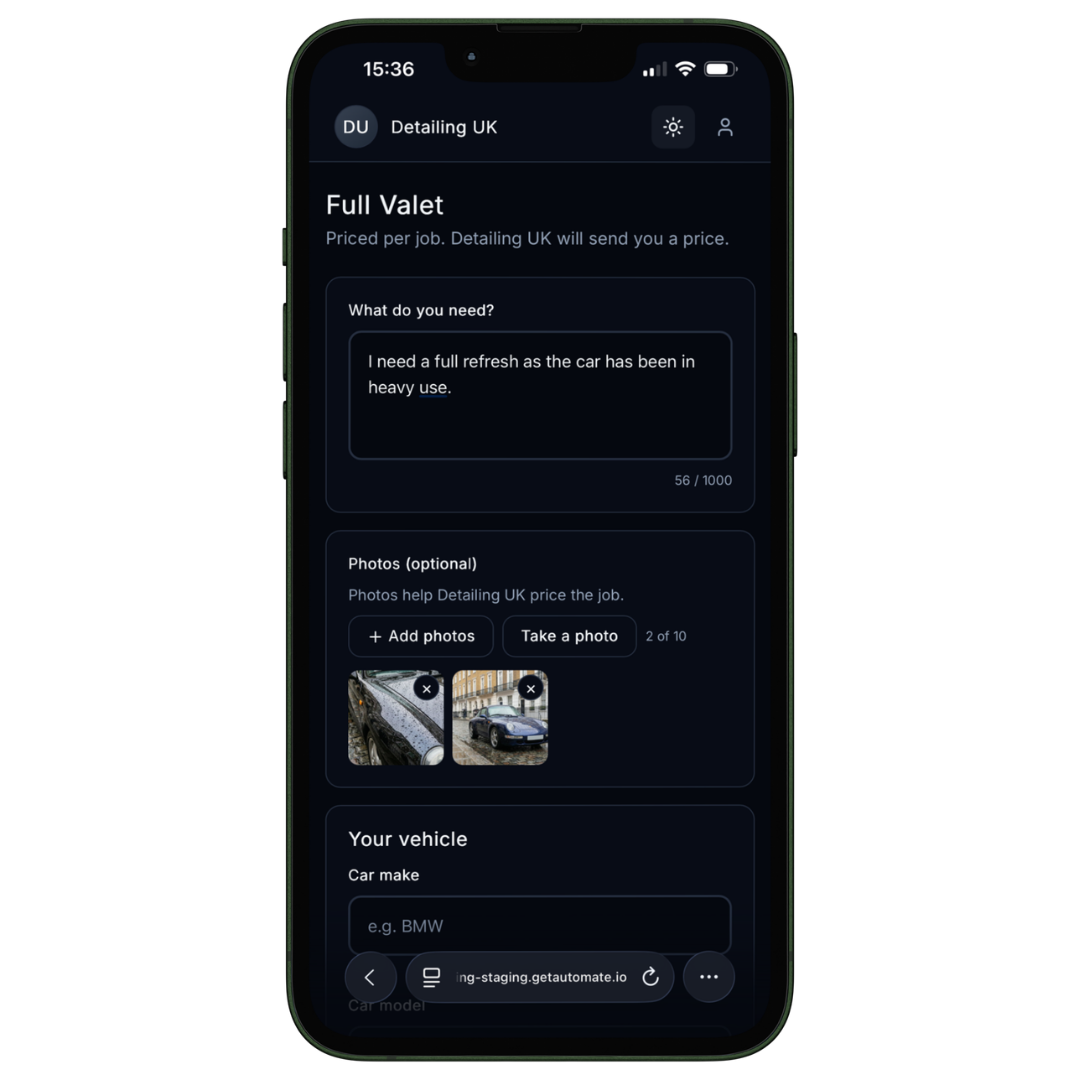
On your booking page, the customer selects the package, adds their details, describes the work and uploads photos of the areas they want you to look at.
No payment is taken when they submit the request. You receive the information together, rather than collecting it across separate conversations.
3. Review the request and send your quote
The request appears in your admin dashboard, and you receive a notification in the Automate Technician app.
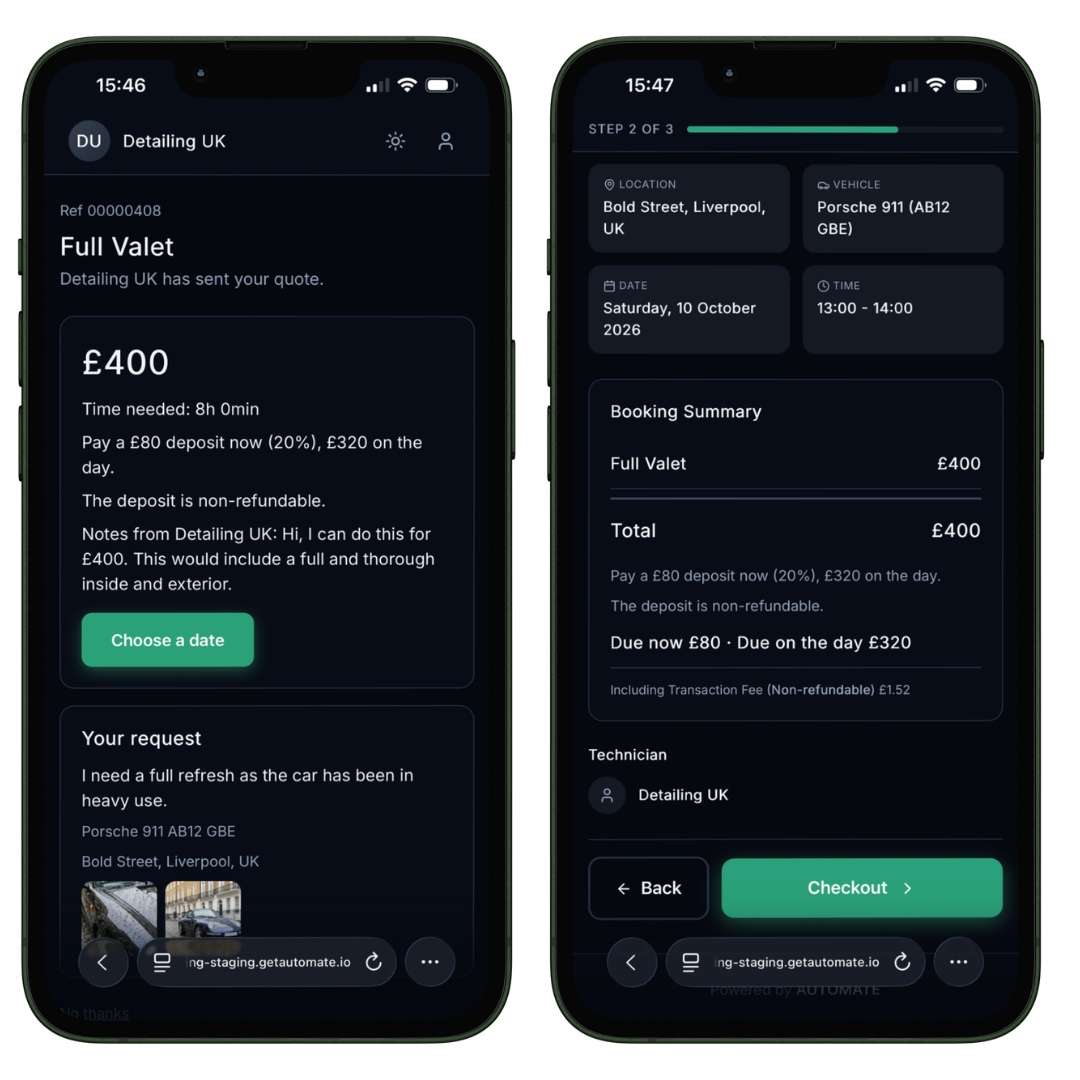
Review the photos and description, then set:
- The price for the work.
- Payment terms: full payment up front, a deposit or payment on arrival.
- Deposit terms: the amount and whether it’s refundable or non-refundable.
- Estimated duration: the time the job needs in your calendar.
You set the terms for each quote. A quick interior job and a £600 paint correction don’t have to follow the same payment arrangement.
4. Your customer accepts and books
Your customer is notified when their quote is ready. They review it, choose a time from your live availability and pay the full amount or deposit if required. If you’ve selected payment on arrival, payment is due then instead.
The confirmed booking goes straight into your Automate calendar, with no need to enter it again by hand.
Built for jobs that need a closer look
Quote Bookings is useful whenever the condition, scope or complexity of a job determines the price.
| Business | Jobs you might quote |
|---|---|
| Detailers | Paint correction, ceramic coatings, restorations and neglected or pet-hair interiors |
| PPF and wrap studios | Full or partial PPF, wraps and colour changes |
| SMART repair businesses | Scuffs, scratches, dents, kerbed alloys and interior trim |
| Mobile mechanics | Diagnostics and repairs where the fault isn’t yet clear |
| Garages | Bodywork, mechanical repairs and one-off projects |
Even if most of your work comes from a fixed menu, there are always exceptions: end-of-lease preparation, a neglected van or a fleet enquiry. Now those jobs can start on the same booking page as everything else.
Also new: multi-day bookings
Some jobs need more than a day. Studios, garages and unit-based businesses can now create bookings that run across several days, with the calendar showing the job for the time the vehicle is with you.
That’s useful for multi-stage paint correction, coatings that need curing time, full PPF installations and repairs waiting on parts.
Use it alongside Quote Bookings to quote a three-day correction and coating, then let the customer book the whole job in one go.
Get started
Already using Automate? Quote Bookings is available in your account now, at no extra cost. Create a package or choose a template, switch on Quotable and publish it to your booking page.
New to Automate? Start your 14-day free trial and set up your first quotable package.
Frequently asked questions
Do customers pay to request a quote?
No. Submitting a request is free. Payment is taken after they accept and choose a time, unless you’ve selected payment on arrival.
Can I offer quoted and fixed-price packages together?
Yes. Quotable is set per package, so your standard fixed-price menu can stay as it is.
How will I know a request has arrived?
It appears in your admin dashboard, and you receive a notification in the Automate Technician app.
Can I take a deposit instead of full payment?
Yes. Set the deposit amount and whether it’s refundable or non-refundable. You can also choose full payment up front or payment on arrival.
Does Quote Bookings cost extra?
No. It’s included in your Automate subscription at no extra cost.